
QuickBooks Warehouse Manager App
Estimated reading time: 3 minutes
With the QuickBooks Warehouse Manager App, warehouse workers can both ship and receive without paper forms and sync fulfillment status updates with QuickBooks Enterprise.
The app can be downloaded on an Android phone, tablet, or mobile barcode scanner.
Downloading the app.
This app can be downloaded from the Google Play store.
Compatible Devices
The warehouse manager app can be downloaded on two device types:
- Certain mobile barcode scanners are compatible (see the list here).
- Android devices, including phones and tablets, are very useful and can help with both receiving and shipping but do not include barcoding.
Using the QuickBooks Warehouse Manager App
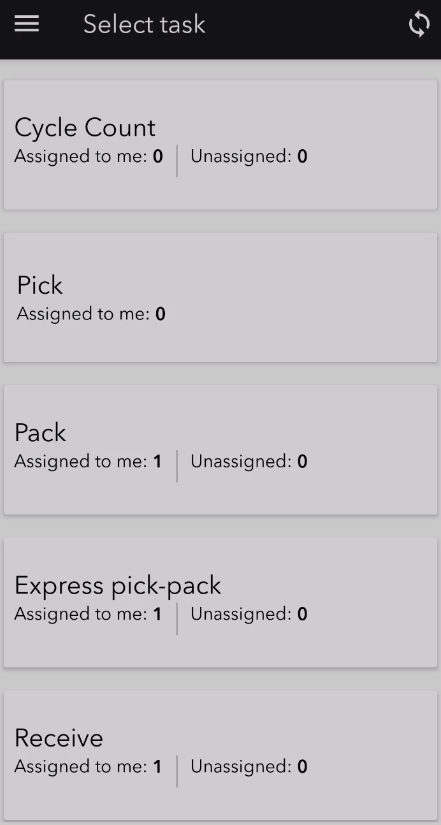
The Android app has multiple options to help manage your inventory workflow.
With the app, warehouse workers can both ship and receive without paper forms and sync with QuickBooks Enterprise.
- Cycle Count
- Pick
- Pack
- Express pick-pack
- Receive
This is the app home screen:
Cycle Count Tab
Cycle counting allows you to target certain products and count them on a more frequent basis. If you have less than 5,000 items, you can send certain items in batches of 200 for counting.
The new count totals can be updated in the warehouse with the app. This can then be synced with QuickBooks to create an inventory adjustment.
Note, if you have more than 5,000 items, cycle counting is still an option using different methods.
Pick Tab
The pick and pack tabs work seamlessly with the Sales Order Fulfillment Worksheet.
Warehouse users can receive each purchase order on their device, showing all related items.
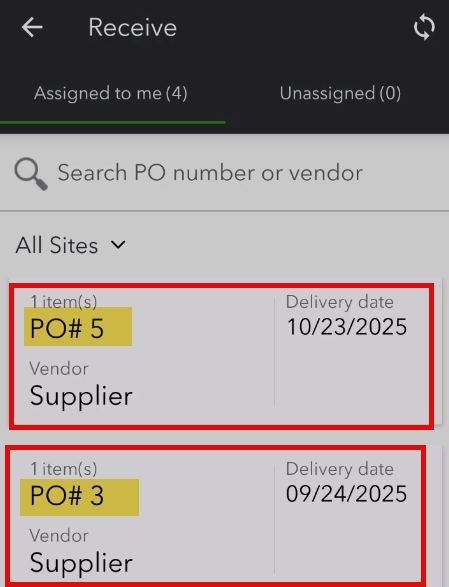
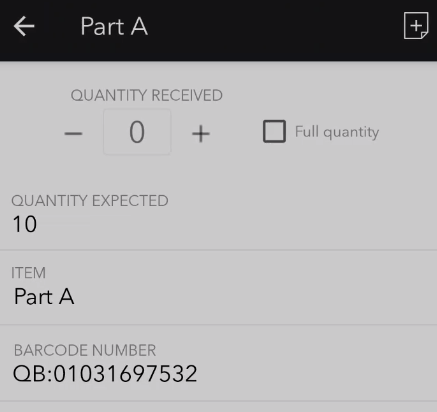
Clicking on each PO will list items to be received. Notes can be added for damaged goods.
Pack Tab
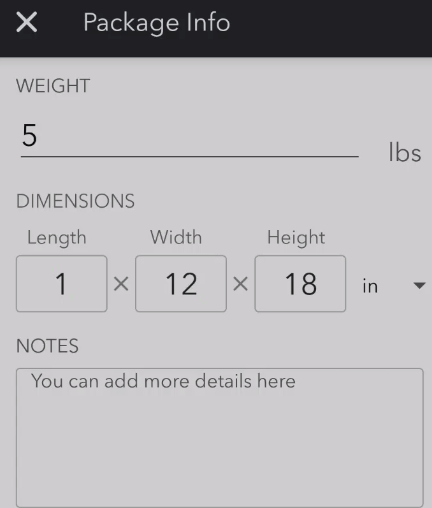
After sales orders have been picked, either partially or completely, the next step is packing/shipping. During this process you can select one or more sales orders at a time. You can first pack and then ship. If you don’t pack, you can just ship.
You can even add package size.
Express Pick-Pack Tab
Many warehouse users pick and pack at the same time. This feature combines the pick and pack process shown above in one workflow. Warehouse users can complete both steps at the same time.
Receive Tab
The receive tab allows you to send purchase orders to warehouse workers. QuickBooks will track the fulfillment status of purchase orders. This feature works seamlessly with the Purchase Order Management Worksheet.
Summary
The QuickBooks Warehouse Manager App allows you to see the status of shipping and receiving on one dashboard. It also allows you to reduce the number of printed forms in your warehouse.
Support Links
Set up and use the Warehouse Manager in QuickBooks Desktop mobile