
Custom Fields in QuickBooks
Custom fields in QuickBooks allow you to enter and track unique information on both sales forms and reports. Custom fields allow you to add information such as customer level, product color, and more to invoices, forms, and reports.
Custom fields can be added to name records such as customers and vendors and also to inventory and service items. If you add special information to the top portion of invoices, you would create a custom name field.
Name Custom Fields
Name custom fields can be added to customers, vendors, and employees. Adding custom fields to names will allow you to include additional information in the top portion of invoices. For example, you have three levels of customers: Bronze, Silver, and Gold. You wish to add the customer level on each invoice. Here is how to do it.
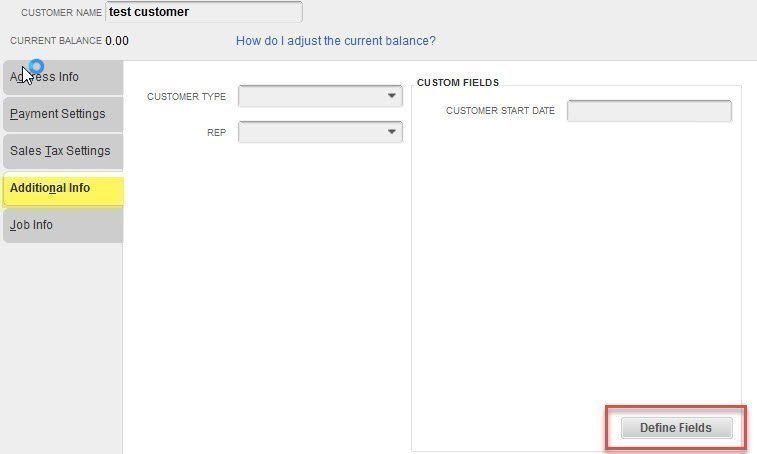
From the menu bar, select Customer > Customer Center. Double-click on a customer name to edit. On the right, select the Additional Info tab. Click on “Define Fields” at the lower right.
After you click on the Define Fields button, the following window will open. In our example, we are going to add a new field, “Customer Level.” Type this string in the label column, then check customer. With the name fields, you could also select a vendor or employee. If you have QuickBooks Enterprise, you can also choose the kind of data and even create drop-down lists for users to select from. Select “OK” on this form and select “OK” again on the customer form.
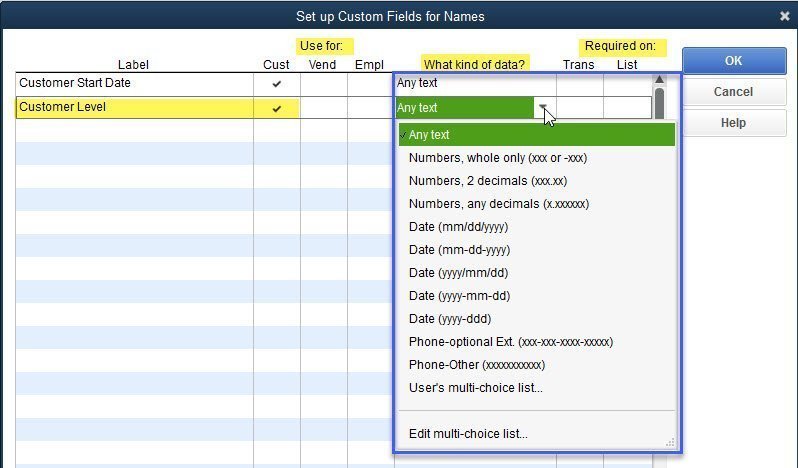
Custom fields allow you to add special information to customer invoices, forms, and reports.
Item Custom Fields
Item lists allow you to add new columns to sales forms and reports. For example, you might want a separate column to show a product color on invoices. This can be easily done with custom fields. Here’s how.
From the menu bar, select Lists > Item List. Double-click on an item to edit. On the right, click the “Custom Fields” button.

A new window opens. The custom fields window will allow you to input new fields. To do this, click on “Define Fields.”

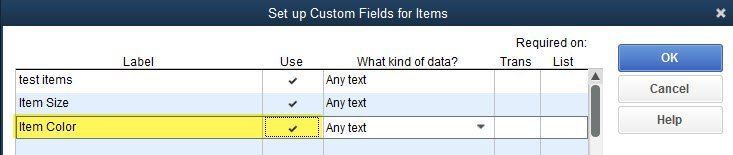
On the “Set up Custom Fields for Items” window, you can add new custom fields. In our example, we are going to add a new field, “Item Color.” Select “OK” on this form and select “OK” again on the item form.
How to Use Custom Fields
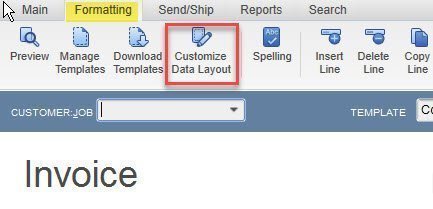
After creating the custom fields, we have to add them to forms and reports. In our example, we want to add both customer level and product color to our invoices. First, from the menu bar, select Customers > Create Invoices. Once a blank invoice opens, select the “Formatting” tab, then select “Customize Data Layout” at the top. Click on “Make a Copy.”
Custom fields you have added to names appear on the header tab. The new field “Customer Field” appears at the bottom of the list.
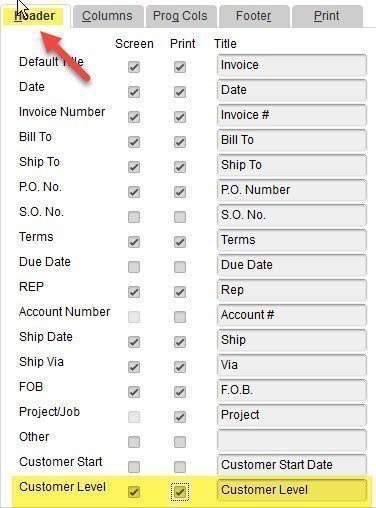
Custom fields you have added to items appear on the columns tab. The new field “Item Color” appears at the bottom of the list.

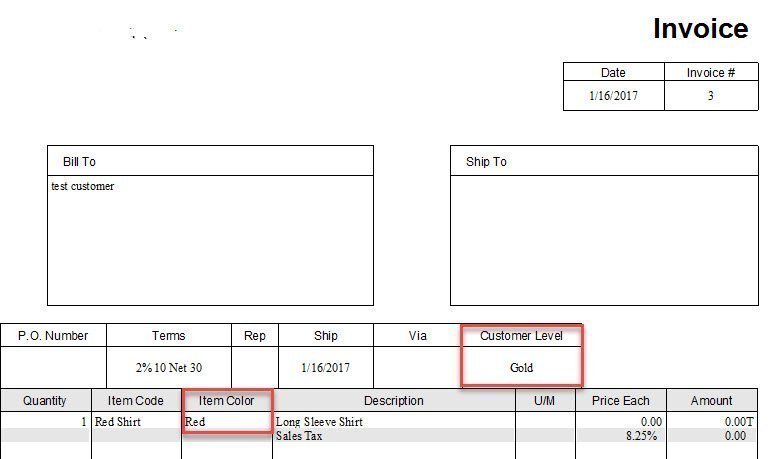
Here is an example of an invoice with custom fields.
Please let me know if you have any questions about custom fields in QuickBooks.
Visit my blog to learn more about QuickBooks.